Building Your First Data Pipeline: A Beginner's Guide to ETL
Every data-driven company runs on data pipelines. When a business analyst opens a dashboard, when a machine learning model makes a prediction, when a recommendation engine suggests a product — behind all of it sits a pipeline that extracted data from somewhere, transformed it into something useful, and loaded it into a system where it can be consumed.
This is ETL: Extract, Transform, Load. And if you want to become a data engineer, mastering ETL is where your journey begins.
What is a Data Pipeline?
A data pipeline is an automated process that moves data from one or more sources to a destination, applying transformations along the way.
Think of it like a water treatment plant:
- Extract = drawing water from a river (raw data from APIs, databases, files)
- Transform = filtering, treating, and purifying the water (cleaning, aggregating, enriching data)
- Load = delivering clean water to homes (loading into a data warehouse, dashboard, or ML model)
ETL vs. ELT: What is the Difference?
| Aspect | ETL | ELT |
|---|---|---|
| Transform step | Before loading | After loading |
| Best for | Structured, predictable data | Large-scale, cloud-native data |
| Tools | Informatica, Talend, Python scripts | dbt, BigQuery, Snowflake |
| Cost | Compute on ETL server | Compute in the warehouse |
Modern data stacks increasingly prefer ELT because cloud warehouses (BigQuery, Snowflake, Redshift) are powerful enough to handle transformations after data is loaded. But understanding ETL fundamentals is essential regardless of which pattern you use.
Building Your First Pipeline: A Practical Example
Let us build a simple ETL pipeline that:
- Extracts user data from a REST API
- Transforms it by cleaning and enriching the data
- Loads it into a PostgreSQL database
Step 1: Extract
Extraction means pulling raw data from the source system. Sources can be APIs, databases, flat files (CSV, JSON), message queues, or even web scraping.
import requests
import json

def extract_users():
    """Extract user data from JSONPlaceholder API"""
    url = "https://jsonplaceholder.typicode.com/users"
    response = requests.get(url)
    response.raise_for_status()
    return response.json()
Key principles for extraction:
- Always handle errors (network failures, timeouts, rate limits)
- Store raw data before transforming — you can always re-transform, but you cannot re-extract if the source data changes
- Use incremental extraction when possible (only fetch new/updated records)
Step 2: Transform
Transformation is where you clean, validate, and reshape the data for your target system.
def transform_users(raw_users):
    """Clean and standardize user data"""
    transformed = []
    for user in raw_users:
        transformed.append({
            "id": user["id"],
            "name": user["name"].strip(),
            "email": user["email"].lower(),
            "company": user.get("company", {}).get("name", "Unknown"),
            "city": user.get("address", {}).get("city", "Unknown"),
            "lat": float(user.get("address", {}).get("geo", {}).get("lat", 0)),
            "lng": float(user.get("address", {}).get("geo", {}).get("lng", 0)),
        })
    return transformed
Common transformations:
- Cleaning: removing nulls, trimming whitespace, standardizing formats
- Filtering: removing duplicates, excluding irrelevant records
- Enriching: adding computed fields (full name from first + last, age from DOB)
- Type casting: converting strings to dates, integers, floats
- Aggregation: summarizing data (daily totals, averages)
Step 3: Load
Loading means writing the transformed data to your destination.
import psycopg2

def load_users(users, conn_string):
    """Load transformed users into PostgreSQL"""
    conn = psycopg2.connect(conn_string)
    cursor = conn.cursor()

    cursor.execute("""
        CREATE TABLE IF NOT EXISTS users (
            id INTEGER PRIMARY KEY,
            name VARCHAR(255),
            email VARCHAR(255),
            company VARCHAR(255),
            city VARCHAR(255),
            lat FLOAT,
            lng FLOAT,
            loaded_at TIMESTAMP DEFAULT NOW()
        )
    """)

    for user in users:
        cursor.execute("""
            INSERT INTO users (id, name, email, company, city, lat, lng)
            VALUES (%s, %s, %s, %s, %s, %s, %s)
            ON CONFLICT (id) DO UPDATE SET
                name = EXCLUDED.name,
                email = EXCLUDED.email,
                company = EXCLUDED.company,
                city = EXCLUDED.city,
                loaded_at = NOW()
        """, (
            user["id"], user["name"], user["email"],
            user["company"], user["city"], user["lat"], user["lng"]
        ))

    conn.commit()
    cursor.close()
    conn.close()
Loading strategies:
- Full refresh: Drop and reload all data every run (simple but expensive)
- Incremental/Upsert: Only insert new records or update changed ones (more efficient)
- Append-only: Always insert, never update (useful for event/log data)
Putting It Together
def run_pipeline():
    """Main ETL orchestration"""
    print("Starting ETL pipeline...")

    # Extract
    raw_data = extract_users()
    print(f"Extracted {len(raw_data)} users")

    # Transform
    clean_data = transform_users(raw_data)
    print(f"Transformed {len(clean_data)} users")

    # Load
    load_users(clean_data, "postgresql://user:pass@localhost:5432/mydb")
    print("Pipeline complete!")

if __name__ == "__main__":
    run_pipeline()
Production Considerations
The example above works, but production pipelines need more:
Error Handling & Retries
from tenacity import retry, stop_after_attempt, wait_exponential

@retry(stop=stop_after_attempt(3), wait=wait_exponential(multiplier=1, max=10))
def extract_with_retry():
    return extract_users()
Logging & Monitoring
Every pipeline should log:
- Start and end timestamps
- Number of records extracted, transformed, loaded
- Any errors or warnings
- Duration of each step
Idempotency
A pipeline should produce the same result whether you run it once or ten times. This means:
- Use upserts instead of blind inserts
- Use deterministic IDs instead of auto-incrementing
- Clear intermediate state before each run
Scheduling
Pipelines need to run on a schedule. Common tools:
- Apache Airflow — the industry standard for workflow orchestration
- Prefect — a modern, Python-native alternative
- cron — simple but sufficient for small pipelines
- dbt — specifically for SQL-based transformations
Real-World Architecture Patterns
Batch Pipeline (Most Common)
Source DB → Extract (daily) → Transform → Load → Data Warehouse → Dashboard
Runs on a fixed schedule. Good for analytics and reporting.
Streaming Pipeline
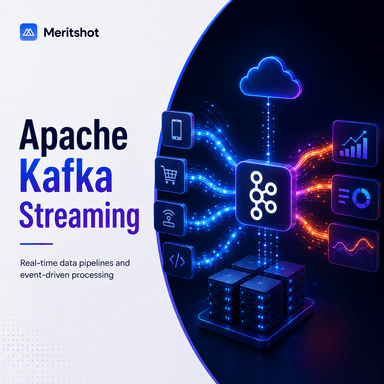
Event Source → Kafka/Kinesis → Stream Processor → Load → Real-time Dashboard
Processes data in real-time. Good for fraud detection, live analytics.
Lambda Architecture
Combines batch and streaming:
- Batch layer: processes historical data (accurate but slow)
- Speed layer: processes real-time data (fast but approximate)
- Serving layer: merges both for querying
Tools Every Data Engineer Should Know
| Category | Tools |
|---|---|
| Orchestration | Apache Airflow, Prefect, Dagster |
| Transformation | dbt, Apache Spark, Pandas |
| Ingestion | Fivetran, Airbyte, Singer |
| Warehousing | Snowflake, BigQuery, Redshift |
| Streaming | Apache Kafka, AWS Kinesis |
| Monitoring | Great Expectations, Monte Carlo |
Your Next Steps
- Build the pipeline from this guide using a free PostgreSQL instance (ElephantSQL or Supabase)
- Add logging and error handling
- Schedule it with cron or Airflow
- Try loading data from a different source (CSV file, another API)
- Build a simple dashboard on top of the loaded data using Metabase or Grafana
The best way to learn data engineering is to build pipelines. Start small, then add complexity.