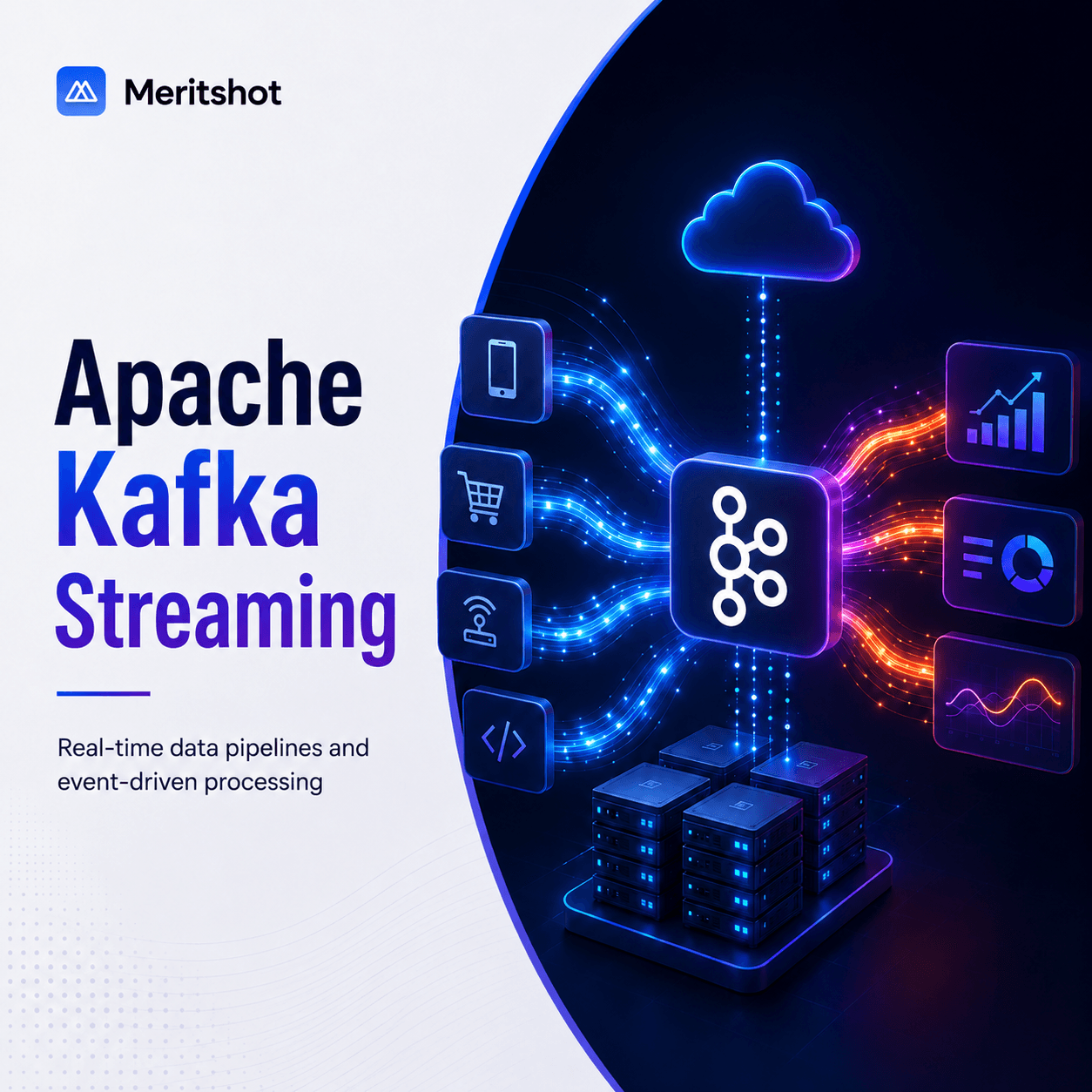
Apache Kafka: Building Real-Time Data Streaming Pipelines
Every time you order food on Swiggy, check your portfolio on Zerodha, or get a fraud alert from your bank — real-time data streaming is working behind the scenes. And in most cases, Apache Kafka is the engine powering it.
Originally built at LinkedIn to handle their activity stream data (over 1 trillion messages per day), Kafka has become the industry standard for real-time event streaming. If you are pursuing a career in data engineering, backend development, or platform engineering, understanding Kafka is non-negotiable.
What is Apache Kafka?
Apache Kafka is an open-source distributed event streaming platform designed for high-throughput, fault-tolerant, real-time data pipelines.
In simpler terms: Kafka is a system that lets applications publish, store, and process streams of events (data records) in real time, at massive scale.
It is not just a message queue. Kafka is a distributed commit log — an append-only, ordered, durable record of events that multiple systems can read from independently.
Why Real-Time Streaming Matters
Traditional batch processing (running ETL jobs every hour or every night) worked fine when businesses could afford to wait. But modern applications demand immediacy:
- Fraud detection — A bank needs to flag suspicious transactions in milliseconds, not hours
- Recommendation engines — Netflix and Spotify update recommendations based on what you are watching or listening to right now
- Real-time dashboards — Operations teams need live metrics, not yesterday's numbers
- IoT data processing — Thousands of sensors sending data every second need a system that can ingest and process it without dropping messages
Kafka solves the fundamental problem of moving data between systems continuously, reliably, and at scale.
Kafka Architecture: Core Concepts
Brokers
A Kafka broker is a server that stores data and serves client requests. A Kafka cluster consists of multiple brokers for fault tolerance. If one broker goes down, others continue serving data.
Topics
A topic is a named category or feed to which events are published. Think of it as a folder in a filesystem, or a table in a database (but append-only).
Example topics: order-events, user-clicks, payment-transactions, sensor-readings.
Partitions
Each topic is divided into partitions — ordered, immutable sequences of events. Partitions enable parallel processing and horizontal scaling.
- Topic:
order-eventsmight have 6 partitions - Each partition is an independent log stored on (potentially) different brokers
- Events within a partition are strictly ordered; across partitions, ordering is not guaranteed
Producers
Producers are applications that publish (write) events to Kafka topics. A producer decides which partition to send a message to — either round-robin, by key-based hashing, or a custom partitioner.
Consumers and Consumer Groups
Consumers are applications that subscribe to (read from) topics. A consumer group is a set of consumers that cooperate to consume a topic:
- Each partition is assigned to exactly one consumer in the group
- If you have 6 partitions and 3 consumers in a group, each consumer reads from 2 partitions
- If a consumer fails, its partitions are automatically reassigned to other consumers in the group (rebalancing)
ZooKeeper and KRaft
Historically, Kafka relied on Apache ZooKeeper for cluster metadata management and leader election. Starting with Kafka 3.3+, the KRaft (Kafka Raft) mode replaces ZooKeeper with a built-in consensus protocol, simplifying operations significantly.
How Kafka Works: The Flow
Here is a typical data flow through Kafka:
- Producers generate events (e.g., a payment service emits an
order-completedevent) - The event is written to a specific partition of a topic on a broker
- The event is replicated across multiple brokers for durability (configurable replication factor)
- Consumers in a consumer group read events from their assigned partitions
- Each consumer tracks its position using an offset — a sequential ID for each message in a partition
- Consumers can replay events by resetting their offset (e.g., to reprocess historical data)
The decoupling of producers and consumers is what makes Kafka powerful. Producers do not need to know who is consuming the data, and consumers can be added or removed without affecting producers.
Kafka vs Traditional Message Queues
| Feature | Apache Kafka | RabbitMQ | ActiveMQ |
|---|---|---|---|
| Model | Distributed commit log | Message broker (queue/pub-sub) | Message broker (JMS) |
| Throughput | Millions of messages/sec | Tens of thousands/sec | Thousands/sec |
| Message retention | Configurable (days/weeks/forever) | Deleted after consumption | Deleted after consumption |
| Replay capability | Yes (offset-based) | No (once consumed, gone) | Limited |
| Ordering | Per-partition ordering | Per-queue ordering | Per-queue ordering |
| Scalability | Horizontally scalable (add brokers) | Vertical + limited horizontal | Vertical primarily |
| Use case fit | Event streaming, log aggregation, real-time analytics | Task queues, request-reply, RPC | Enterprise integration (legacy) |
| Consumer model | Pull-based | Push-based | Push-based |
When to use Kafka: High-throughput event streaming, log aggregation, real-time pipelines, event sourcing.
When to use RabbitMQ: Task distribution, request-reply patterns, lower-volume messaging where delivery guarantees matter more than throughput.
Kafka Connect and Kafka Streams
Kafka Connect
Kafka Connect is a framework for connecting Kafka with external systems without writing custom code. It provides pre-built connectors:
- Source connectors — Pull data into Kafka (e.g., from PostgreSQL, MongoDB, S3, or Salesforce)
- Sink connectors — Push data from Kafka to external systems (e.g., to Elasticsearch, Snowflake, or HDFS)
Example: A Debezium MySQL source connector captures every row change in your database and streams it to Kafka as an event — enabling real-time CDC (Change Data Capture).
Kafka Streams
Kafka Streams is a client library for building real-time stream processing applications. Unlike Spark Streaming or Flink, it runs as a regular Java/Kotlin application — no separate cluster required.
Common operations: filtering, mapping, aggregating, joining streams, windowed computations.
Real-World Use Cases
- Log aggregation — Collect logs from hundreds of microservices into a centralized topic for search and analysis (replacing Flume/Logstash in many architectures)
- Event sourcing — Store every state change as an immutable event. Rebuild application state by replaying events.
- Metrics and monitoring — Stream application metrics to real-time dashboards (Grafana + Kafka)
- Real-time analytics — Process clickstream data to update recommendation models instantly
- Microservice communication — Decouple services using event-driven architecture instead of synchronous REST calls
- CDC (Change Data Capture) — Stream database changes to data warehouses in real time using Debezium + Kafka Connect
Setting Up Kafka Locally
Here is how to get Kafka running on your machine for development:
Using Docker Compose (recommended)
# docker-compose.yml
version: '3.8'
services:
  kafka:
    image: apache/kafka:3.7.0
    hostname: broker
    container_name: broker
    ports:
      - '9092:9092'
    environment:
      KAFKA_NODE_ID: 1
      KAFKA_PROCESS_ROLES: 'broker,controller'
      KAFKA_CONTROLLER_QUORUM_VOTERS: '1@broker:29093'
      KAFKA_LISTENERS: 'PLAINTEXT://broker:29092,CONTROLLER://broker:29093,EXTERNAL://0.0.0.0:9092'
      KAFKA_ADVERTISED_LISTENERS: 'PLAINTEXT://broker:29092,EXTERNAL://localhost:9092'
      KAFKA_LISTENER_SECURITY_PROTOCOL_MAP: 'CONTROLLER:PLAINTEXT,PLAINTEXT:PLAINTEXT,EXTERNAL:PLAINTEXT'
      KAFKA_CONTROLLER_LISTENER_NAMES: 'CONTROLLER'
      KAFKA_INTER_BROKER_LISTENER_NAME: 'PLAINTEXT'
# Start Kafka
docker compose up -d

# Create a topic
docker exec broker kafka-topics.sh --create --topic test-events --bootstrap-server broker:29092 --partitions 3 --replication-factor 1

# Produce messages
docker exec -it broker kafka-console-producer.sh --topic test-events --bootstrap-server broker:29092

# Consume messages (in another terminal)
docker exec broker kafka-console-consumer.sh --topic test-events --from-beginning --bootstrap-server broker:29092
Simple Python Producer
from kafka import KafkaProducer
import json

producer = KafkaProducer(
    bootstrap_servers=['localhost:9092'],
    value_serializer=lambda v: json.dumps(v).encode('utf-8')
)

# Send an event
event = {
    "order_id": "ORD-12345",
    "user_id": "USR-678",
    "amount": 1499.00,
    "status": "completed",
    "timestamp": "2025-05-01T10:30:00Z"
}

producer.send('order-events', value=event)
producer.flush()
print("Event published successfully")
Kafka in the Indian Tech Ecosystem
Kafka is deeply embedded in India's most demanding tech platforms:
- Flipkart — Uses Kafka for real-time inventory updates, order tracking, and recommendation pipelines. During Big Billion Days, Kafka handles millions of events per second.
- Swiggy — Streams order events, delivery partner locations, and restaurant availability through Kafka for real-time dispatch optimization.
- Zerodha — Processes millions of stock market events per second through Kafka during trading hours. Real-time price feeds, order updates, and portfolio calculations all flow through Kafka.
- PhonePe — Uses Kafka for transaction event streaming, fraud detection, and real-time analytics across their payment platform.
- Ola — Streams ride events, driver locations, and surge pricing calculations through Kafka in real time.
These companies are actively hiring Kafka-skilled engineers. Familiarity with Kafka architecture and operations is a strong differentiator in data engineering interviews.
Best Practices
- Choose partition counts carefully — More partitions enable more parallelism but increase broker overhead. Start with 6-12 partitions for most topics and scale as needed.
- Use meaningful keys — Partition by a key (e.g.,
user_id) to ensure all events for the same entity go to the same partition, preserving order. - Set appropriate retention — Do not keep data forever unless you have a reason. 7 days is a common default; tune based on your reprocessing needs.
- Monitor consumer lag — Consumer lag (how far behind a consumer is from the latest message) is your most important operational metric. Use Burrow or built-in JMX metrics.
- Implement idempotent producers — Enable
enable.idempotence=trueto prevent duplicate messages during retries. - Use schema registry — Tools like Confluent Schema Registry enforce a schema (Avro, Protobuf, JSON Schema) on your events, preventing breaking changes.
- Plan for failure — Set
replication.factor >= 3andmin.insync.replicas = 2for production topics to survive broker failures without data loss.
Learning Path
If you are getting started with Kafka, here is a recommended progression:
- Foundations — Understand distributed systems basics (CAP theorem, consensus, replication)
- Kafka core — Topics, partitions, producers, consumers, offsets. Run Kafka locally and experiment.
- Kafka Connect — Set up a CDC pipeline with Debezium. Move data from MySQL to Kafka to Elasticsearch.
- Kafka Streams or ksqlDB — Build a simple stream processing application (e.g., real-time word count, event aggregation)
- Operations — Learn monitoring (Prometheus + Grafana), tuning (broker and client configs), and troubleshooting common issues
- Production patterns — Event sourcing, CQRS, saga pattern, exactly-once semantics
Kafka is not just a tool — it is an architectural pattern. Mastering it opens doors to building the real-time systems that power modern applications across fintech, e-commerce, and beyond.